Stellar ERP logo mark

Stellar ERP

Billing, stock, GST and accounts for Indian businesses, offline on your own computer, locked to your own key.

Request a quote See what's inside
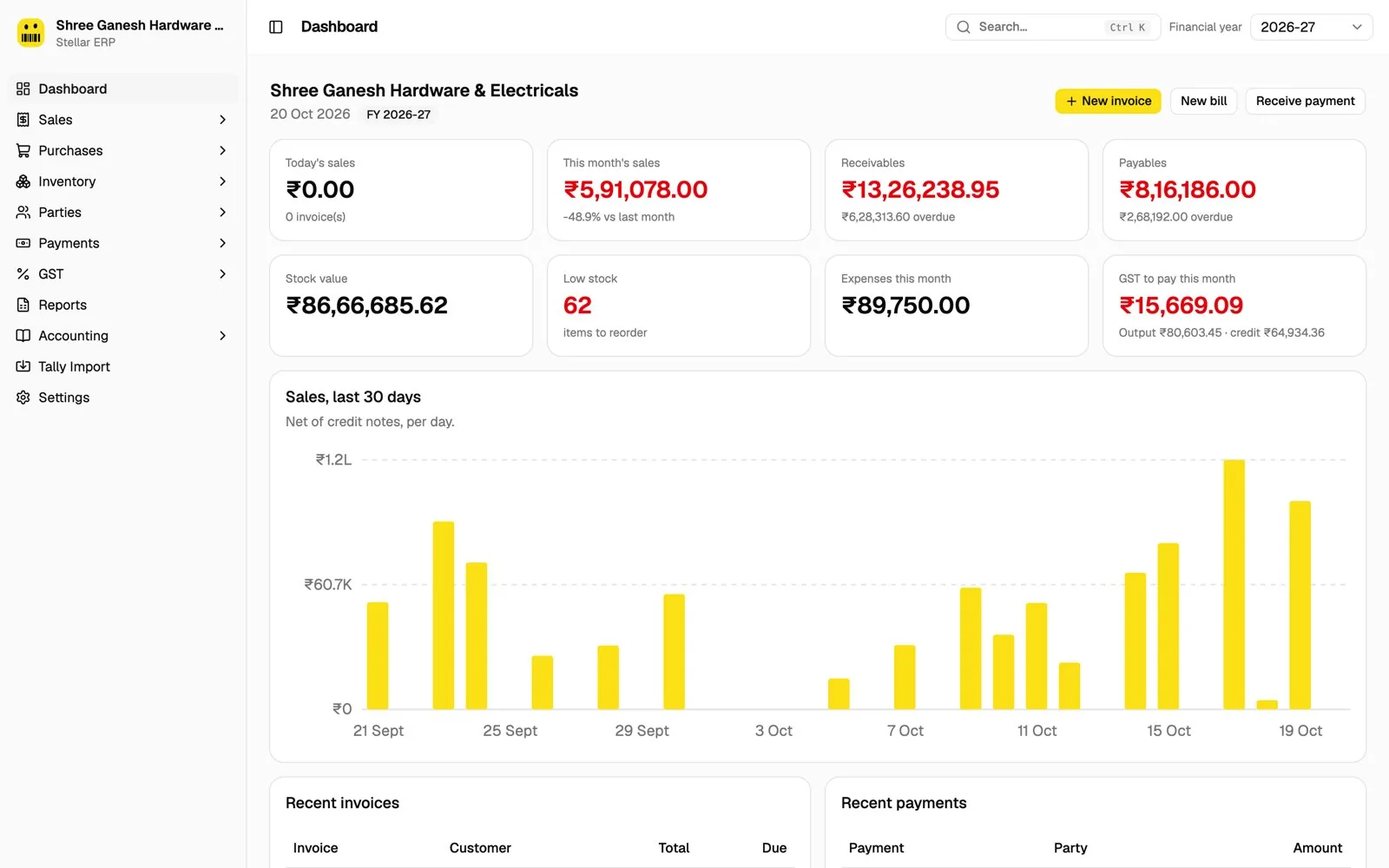
Stellar ERP dashboard: today's and monthly sales, receivables, payables, stock value, low stock, expenses, GST to pay, and a 30-day sales chart
ROLE
Founder · design & build
PLATFORM
Windows 10 / 11 desktop, fully offline
STACK
Tauri 2 · React 19 · Rust · SQLite
AVAILABILITY
Paid licence, on request

Accounting that stays in the shop

A hardware store or a trader needs GST invoices, stock and books that add up, without a monthly cloud bill, without an internet connection, and without anyone being able to copy the data file and read it on another computer.

Stellar ERP is a single offline app that does the whole job, imports what you already have in Tally, and can be locked so the data opens only with your password, your USB key, or both.

The whole back office

Every module from the sidebar, all working on one local database.

Sales

Invoices, quotations, sales orders, delivery challans and returns.

Purchases

Bills and purchase records against your suppliers.

Inventory

Products, stock, warehouses, adjustments, price lists and barcode labels.

Parties

Customers and suppliers with GSTINs, balances and history.

Payments

Receipts and payments, with what is overdue on each side.

GST

Output and input tax worked out, and what you owe this month.

Accounting

P&L, balance sheet, trial balance, ledgers, day book, bank reconciliation, journal.

Tally import

Bring your company, parties and stock across from Tally in a guided flow.

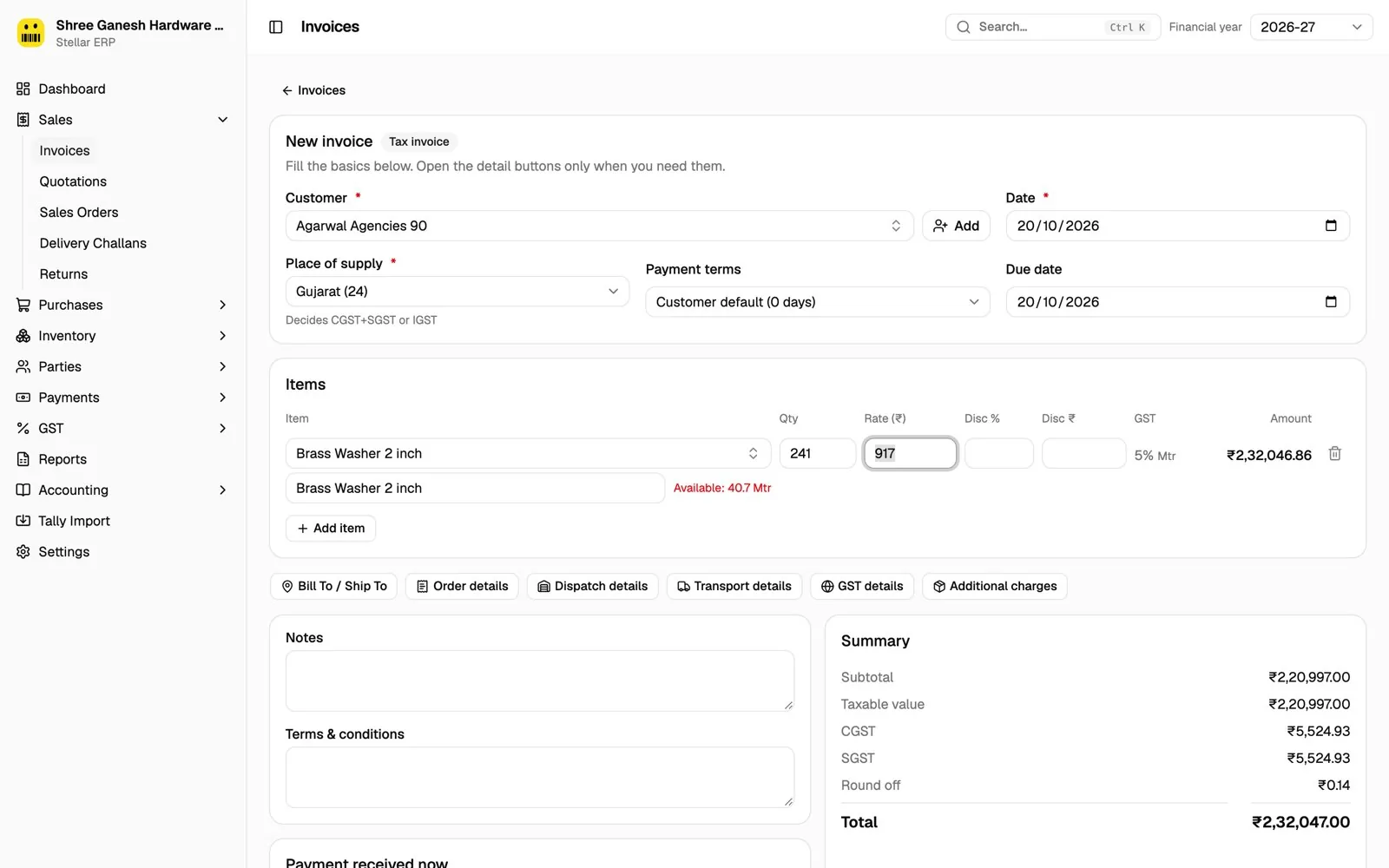
New invoice screen with items, GST and summary

An invoice in seconds

Pick a customer, add items, and the GST split, round-off and total build themselves. Stock on hand shows right under the item, so you never sell what you don’t have.

  • CGST / SGST or IGST chosen from the place of supply
  • Live stock check per line
  • Bill-to, dispatch, transport and GST details tucked away until needed
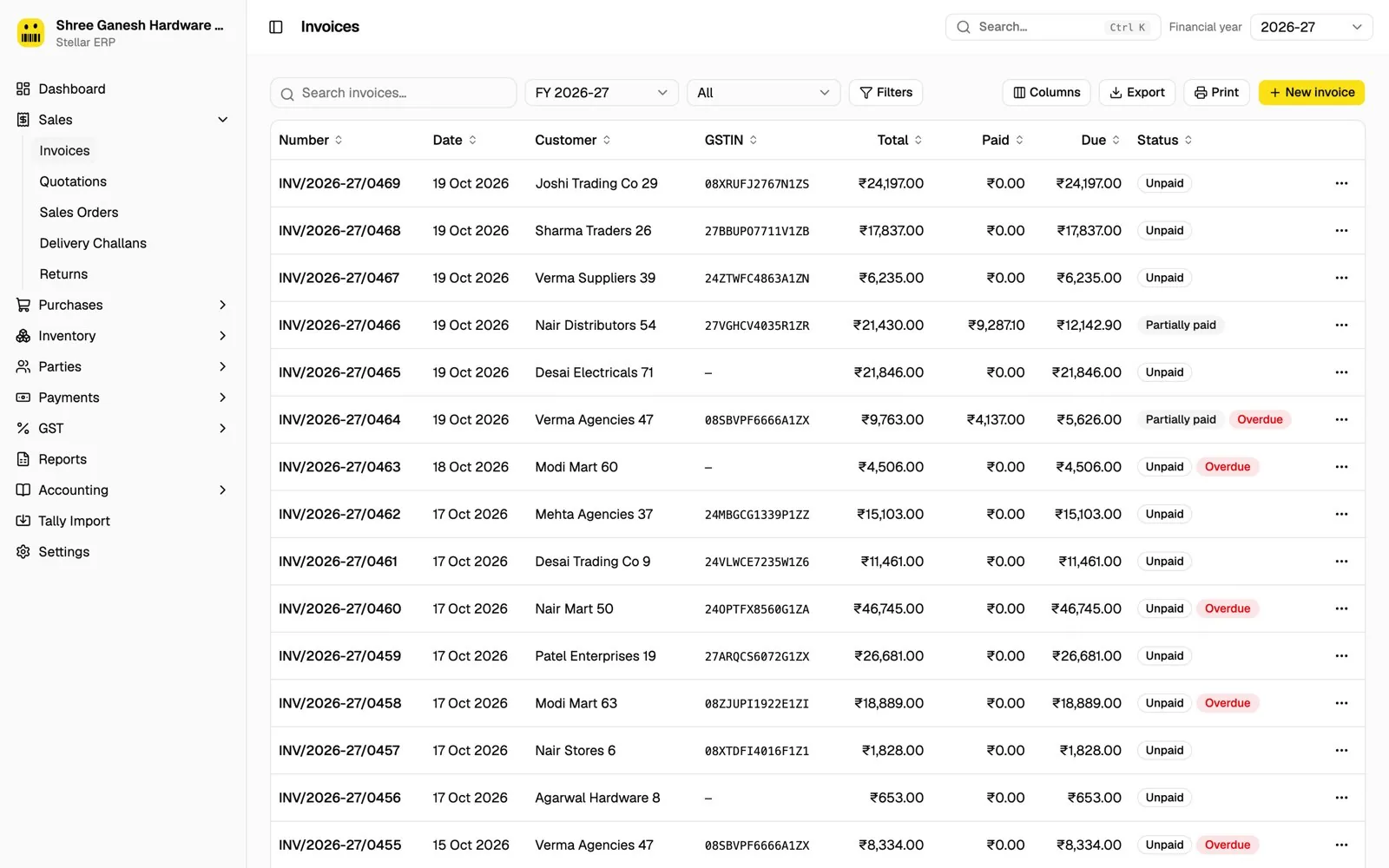
Invoices list with paid, unpaid and overdue status

Who owes you, at a glance

Every invoice with its GSTIN, total, amount paid and due, and overdue ones flagged in red.

  • Filter by financial year and status
  • Export, print and choose columns
  • Partly paid and overdue badges
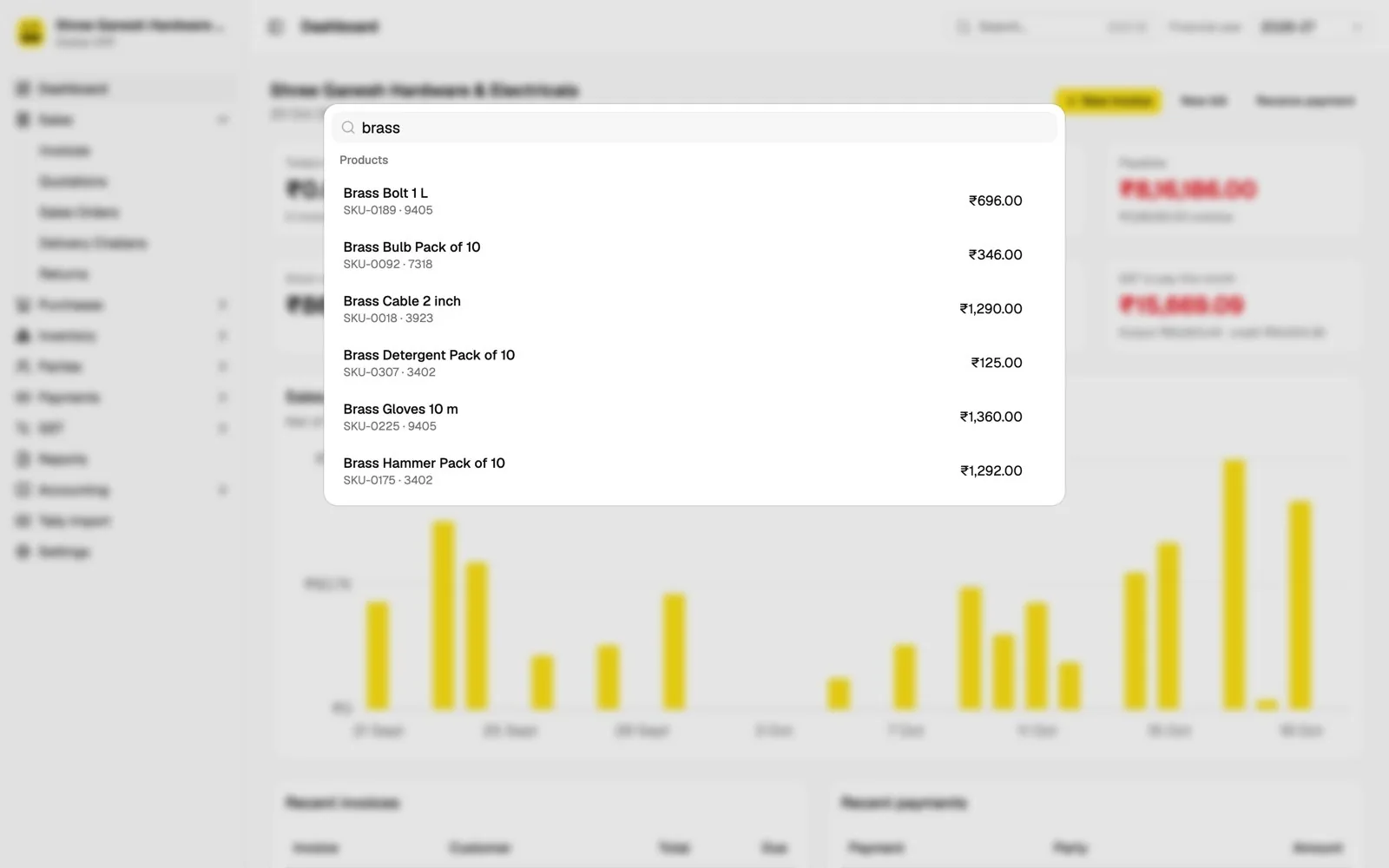
Search palette showing matching products

Ctrl K finds anything

One search box for products, parties and documents, keyboard first, the way people at a billing counter actually work.

  • Open from any screen with Ctrl K
  • Results show price and SKU
  • Jump straight to the record
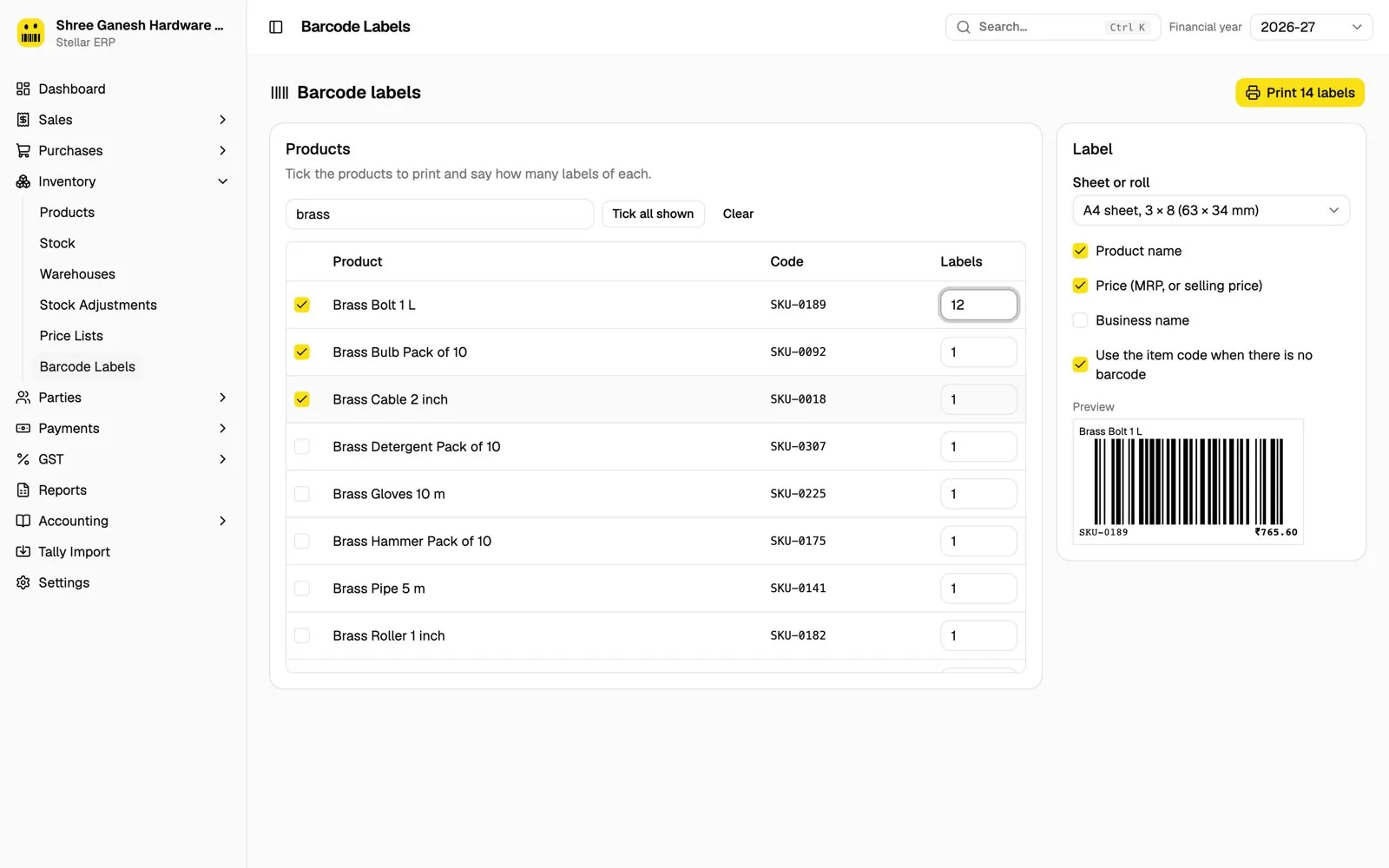
Barcode label sheet builder

Print barcode labels

Tick products, set how many labels each, choose the sheet or roll, and print.

  • A4 sheets or label rolls
  • Name, price and business name on the label
  • Live label preview
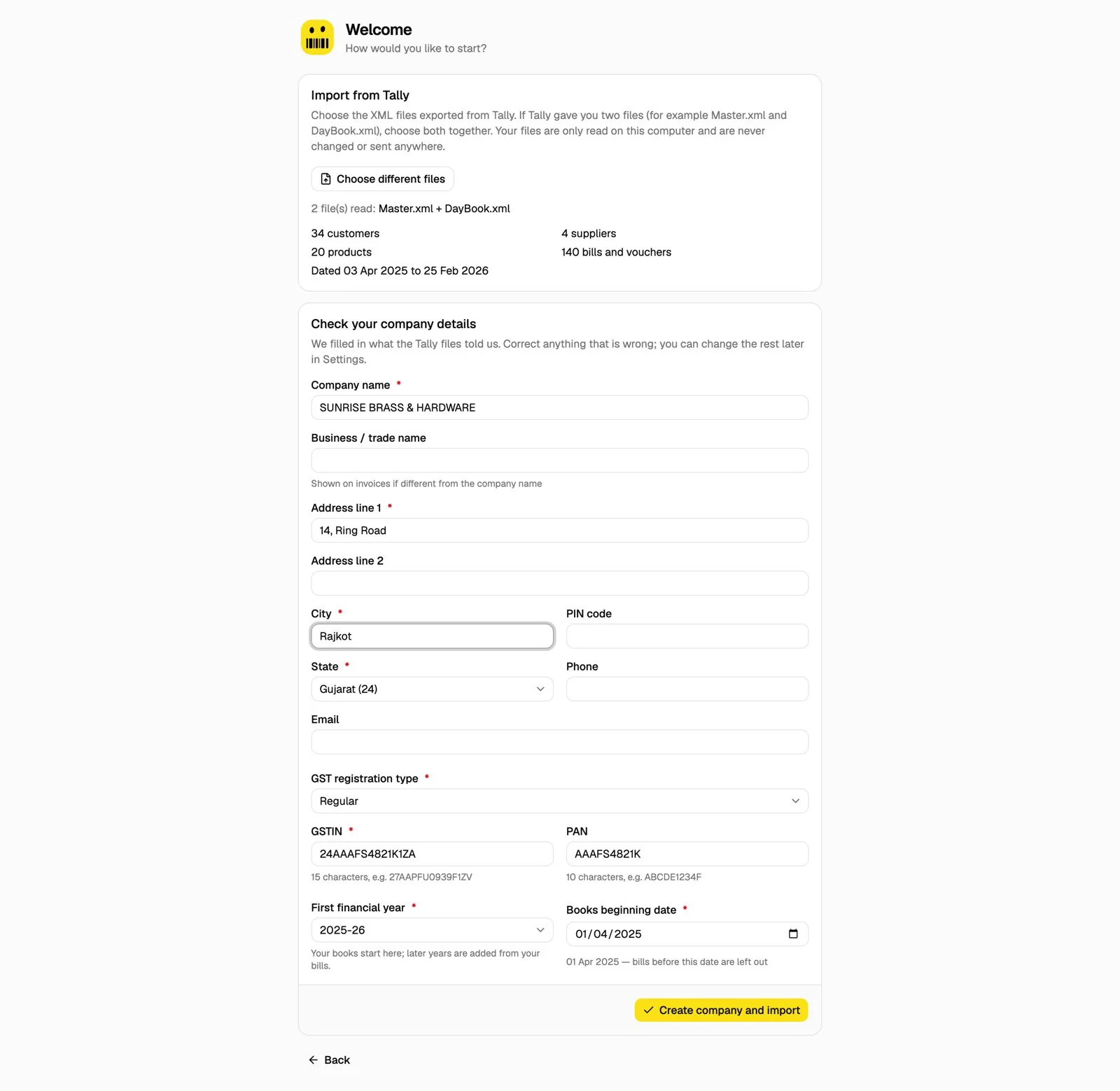
Tally import with company details filled in

Move over from Tally

A guided import reads your Tally data and fills in the company, so switching doesn’t mean starting from zero.

  • Choose the Tally export file
  • Check company and GST details
  • Land on a dashboard with your numbers
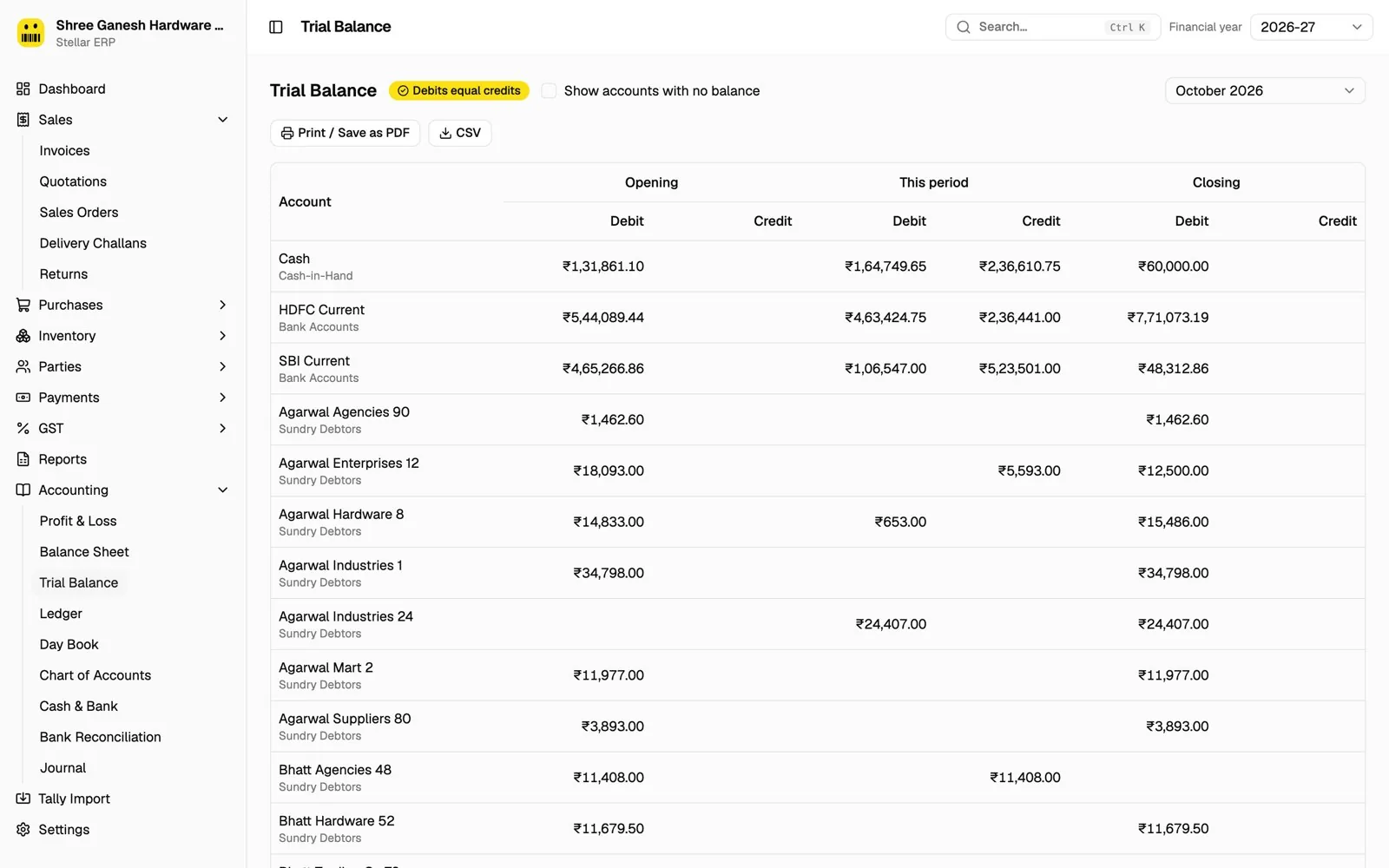
Trial balance report

Books that balance

Proper double-entry underneath, so reports like the trial balance come straight out, and print to PDF or CSV.

  • Opening, period and closing columns
  • Debits-equal-credits check
  • Print, save as PDF or export CSV

Your books,
locked to your key

The goal: copying the data file to another computer must not expose a single invoice.
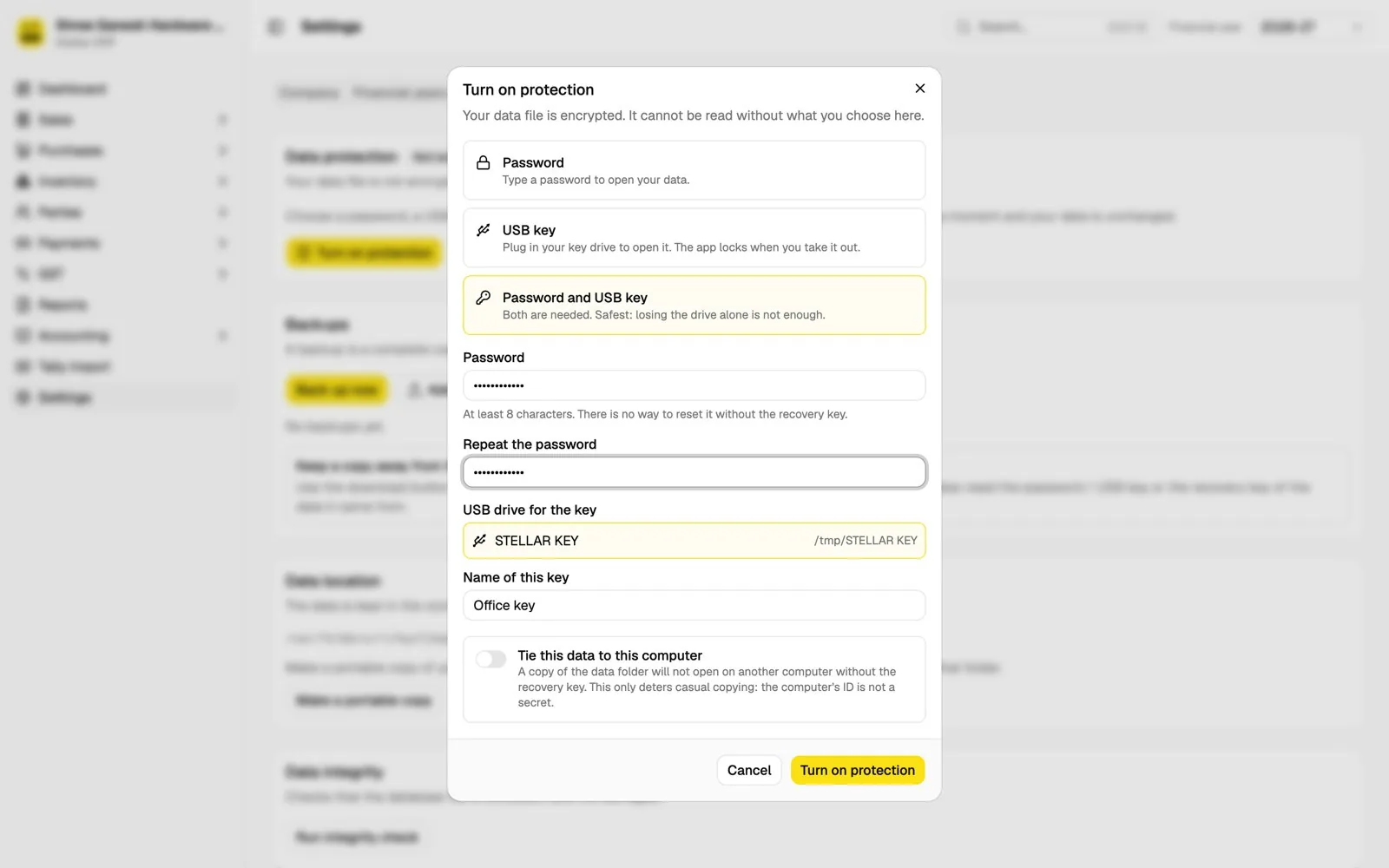
OPTION 1 Password Type a password to open your data.
OPTION 2 USB key Plug in your key drive to open it. The app locks when you take it out.
SAFEST Password + USB Both are needed, losing the drive alone is not enough.
Turn on protection dialog
Turn on protection, pick password, USB key, or both.
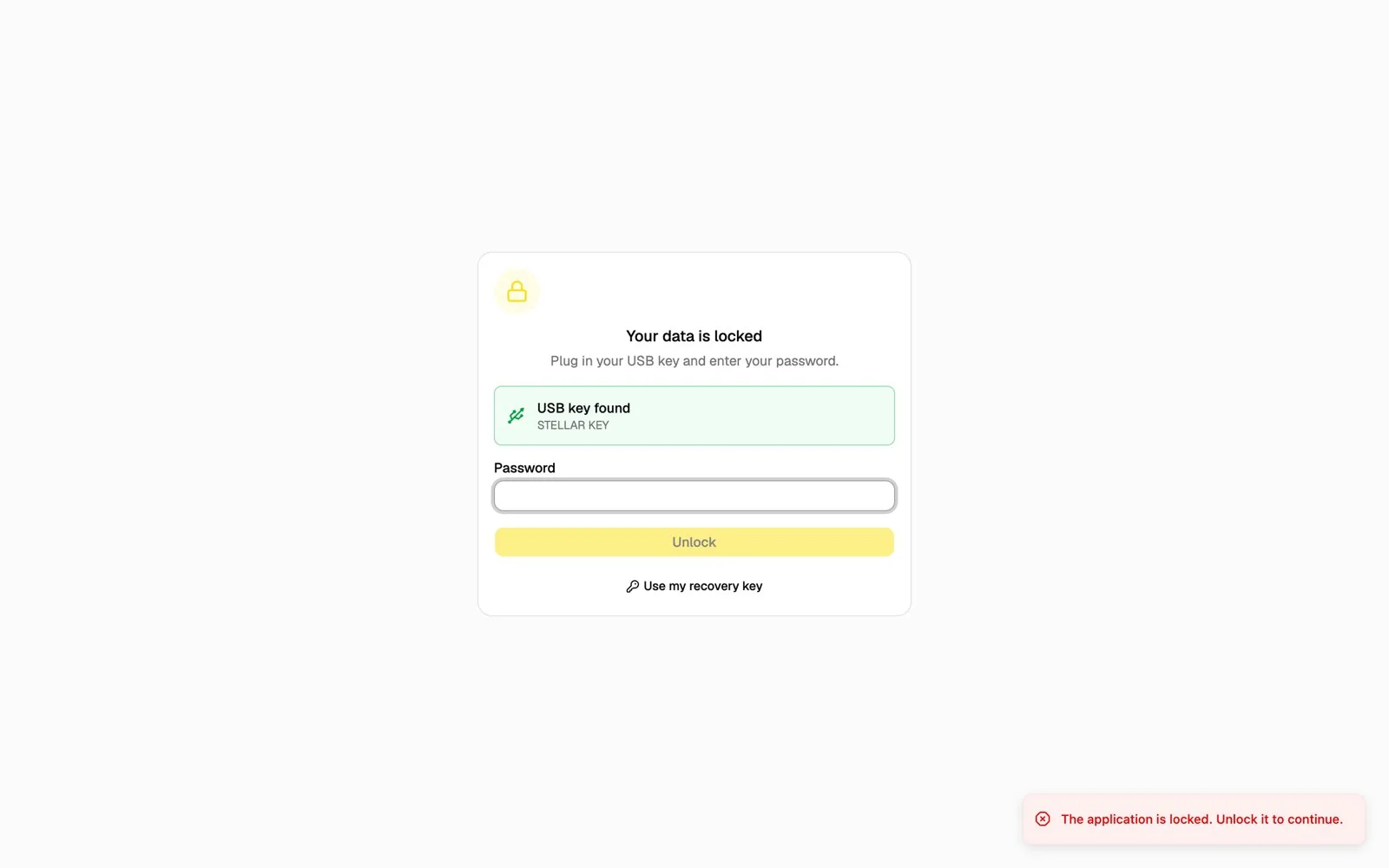
Locked screen asking for USB key and password
Locked, nothing opens until the key is in.
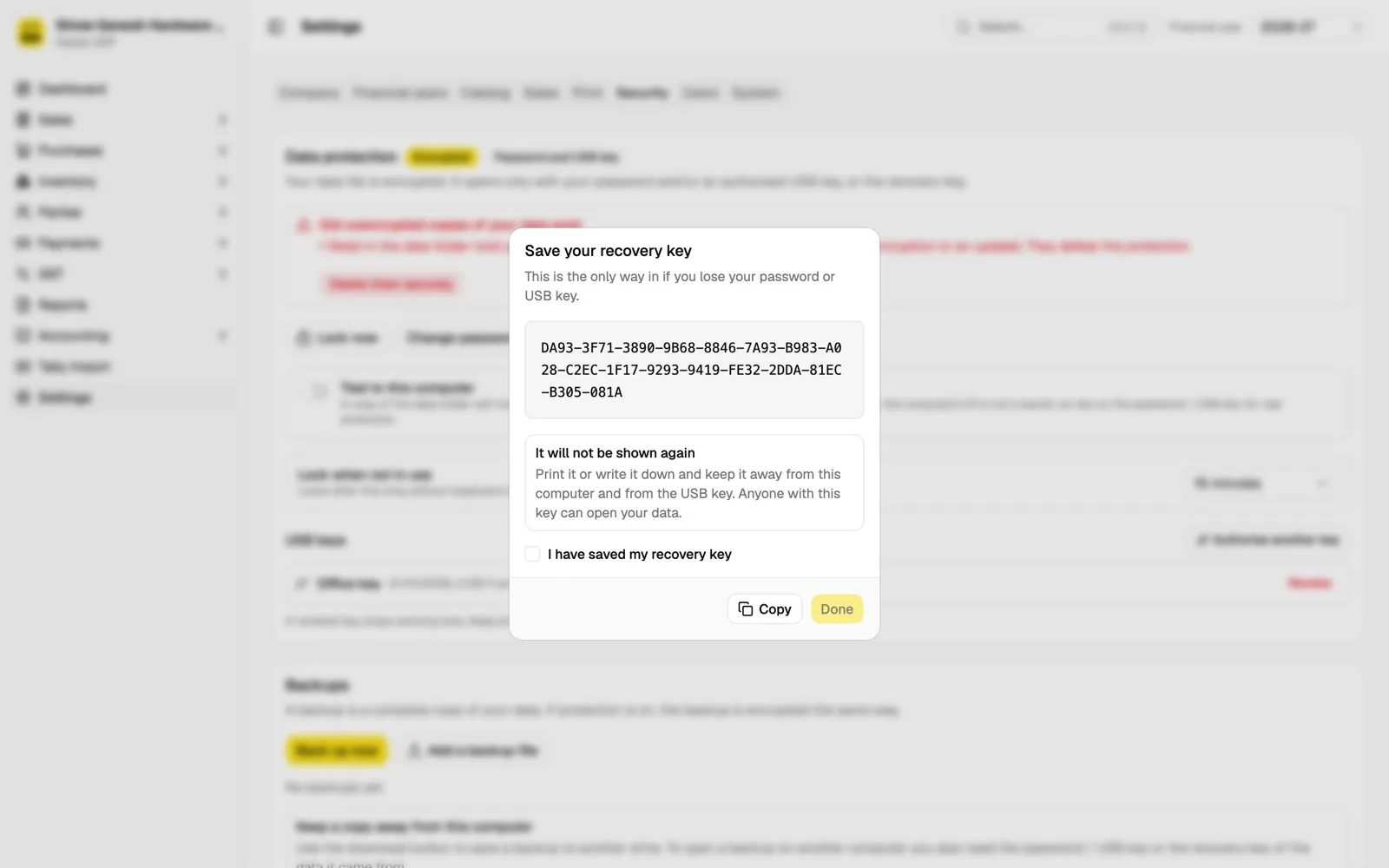
Save your recovery key dialog
Recovery key, shown once, the only way back in.
  • Security logic lives in Rust, never in the UI.
  • Keys are never stored as plain-text files; OS secure storage protects them.
  • Backups are encrypted the same way as the live data.
  • Portable copy: run the whole thing from a pen drive.

One file. Nothing else to install.

The customer gets a single native program. The database is compiled in; Windows already has the web view it draws with.
  1. DESKTOP SHELL Tauri 2
  2. INTERFACE React 19 · TypeScript
  3. STYLING Tailwind CSS 4 · shadcn/ui
  4. CORE Rust
  5. DATABASE SQLite, compiled in